
Look beyond the absolute baseline configurations; optimizing your budget isn’t just about finding the lowest sticker price. It’s about knowing where cutting corners hurts performance and where spending an extra ₹5,000 saves you from a forced upgrade two years down the line.
The 6GB Safety Zone: Why the RTX 3050 and 4050 Offer Better Longevity
When hunting for a budget-tier laptop in the ₹55,000 to ₹70,000 price window, you will frequently cross paths with older 4GB graphics configurations. While saving a small amount upfront is tempting, skipping the 6GB video memory (VRAM) baseline is an immediate bottleneck for modern gaming and development tasks.
Modern games, video rendering suites, and machine learning models require a structural baseline of memory directly on the graphics card to load assets smoothly.
- The VRAM Cliff: A 4GB graphics card faces heavy stutters or forced low-quality textures in modern titles because it physically cannot store the game’s immediate environment assets.
- The 6GB Baseline: Stepping up to a 6GB version of the RTX 3050 or the vastly superior RTX 4050 puts your system into the safety zone. The RTX 4050 additionally unlocks Frame Generation and DLSS 3, which uses AI to predict and inject frames, effectively doubling your framerate in demanding modern titles without taxing the hardware further.
| GPU Variant | Minimum India Price | Expected Longevity | Key Tech Benefit |
|---|---|---|---|
| RTX 3050 (4GB) | ~₹52,000 | Obsolete for new AAA titles | Baseline gaming only |
| RTX 3050 (6GB) | ~₹58,000 | 1–2 Years (Medium settings) | Larger texture buffer |
| RTX 4050 (6GB) | ~₹63,990 | 3–4 Years (Medium/High settings) | DLSS 3 Frame Generation |
System RAM Upgrades vs. VRAM: Clearing Up the Common Shared Memory Myth
A frequent point of confusion for buyers exploring retail listings is how laptop memory works. You might see a laptop advertised with a massive “24GB of RAM” paired with a weaker 4GB graphics card and assume the extra system memory will pick up the slack.
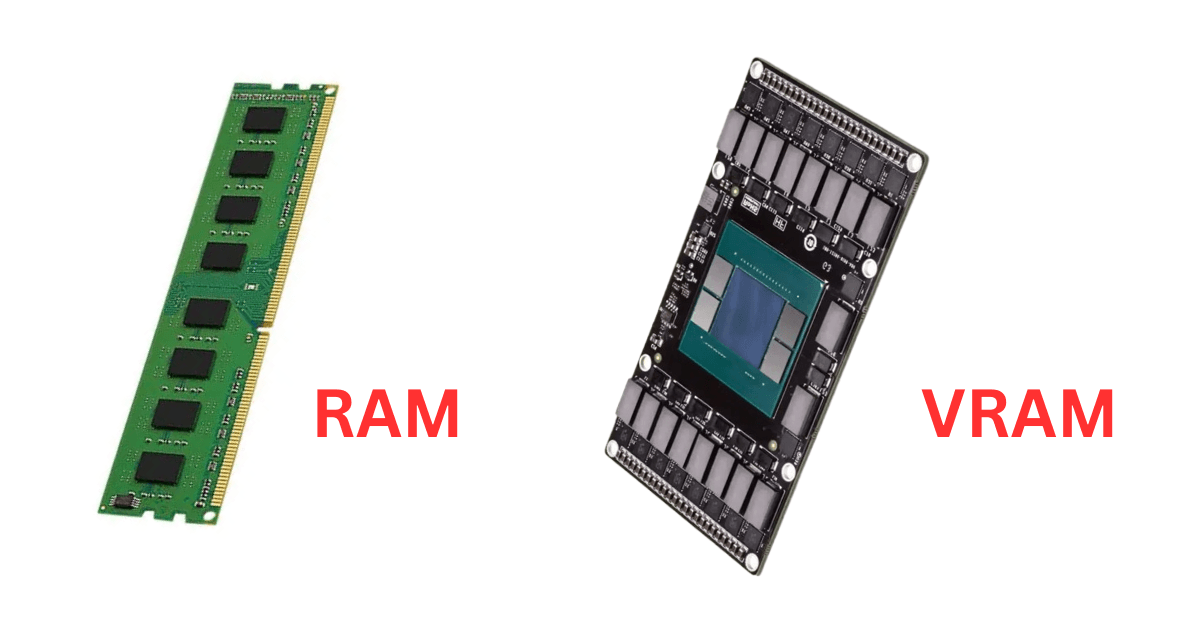
This is a structural misunderstanding of laptop architecture. System RAM (DDR5) and Video RAM (VRAM/GDDR6) serve two entirely separate, non-interchangeable purposes:
The Highway Analogy: Think of System RAM as a wide, multi-lane city road where everyday background programs and your operating system travel. VRAM is a dedicated, hyper-fast racing track built right next to the graphics processor.
- System RAM (DDR5): Handles general multitasking, your web browser tabs, background coding codebases, and operating system data. If you run out of System RAM, your computer slows down as it swaps data to the SSD. You can almost always upgrade this later by popping open the laptop shell and adding a cheap stick of RAM.
- VRAM (GDDR6): Is physically soldered onto the graphics chip and cannot be upgraded. It operates at a massively higher bandwidth than system RAM because it has to feed millions of complex pixels to your screen every millisecond.
When your graphics card runs out of its dedicated VRAM, it is forced to leak data over into your shared System RAM. Because System RAM is significantly slower than VRAM, your gaming performance drops immediately—causing massive FPS stutters, frozen frames, and sudden game crashes.
The Takeaway: Always buy the best built-in graphics card (VRAM) your budget allows first. You can easily upgrade a 16GB system RAM laptop to 24GB or 32GB down the road for less than ₹3,000, but you can never upgrade a 4GB graphics card to a 6GB graphics card.